IAM Identity Center Setup - External Identity Providers
AWS IAM Identity Center (formerly AWS Single Sign-On) allows centralized management of access to multiple AWS accounts and applications. This guide outlines the step-by-step process to configure IAM Identity Center with external identity providers (IdPs) for managing users in your AWS environment.
For comprehensive instructions, refer to the AWS documentation on IAM Identity Center Identity Source.
Enable IAM Identity Center
- Log in to the Management account, which serves as the root account for the organization and the AWS Control Tower account.
- Ensure you are in the home/global region specified in your Control Tower setup.
- Navigate to the IAM Identity Center service.
- If accessing IAM Identity Center for the first time, you will be prompted to enable it.
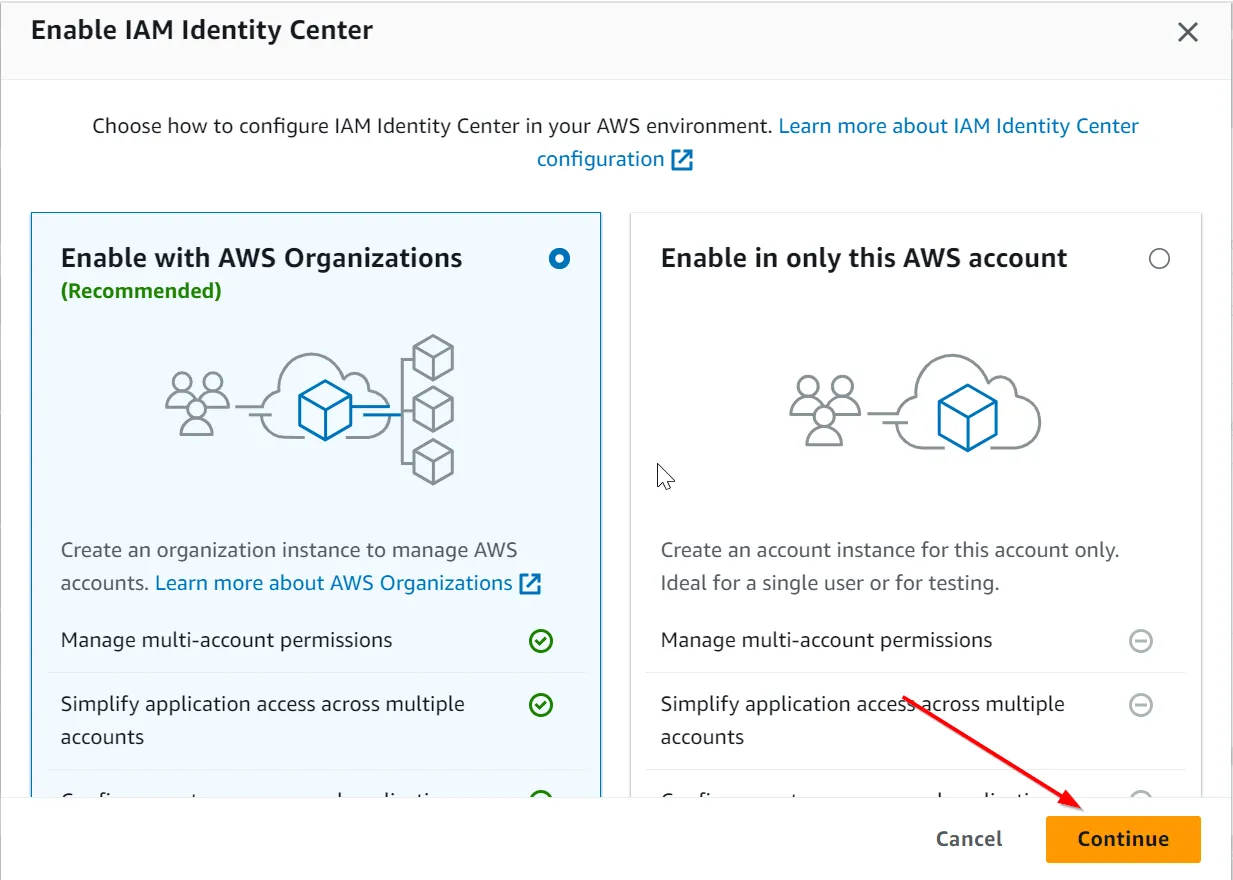
- Click Enable IAM Identity Center, choose “Enable with AWS Organizations,” and click Continue.
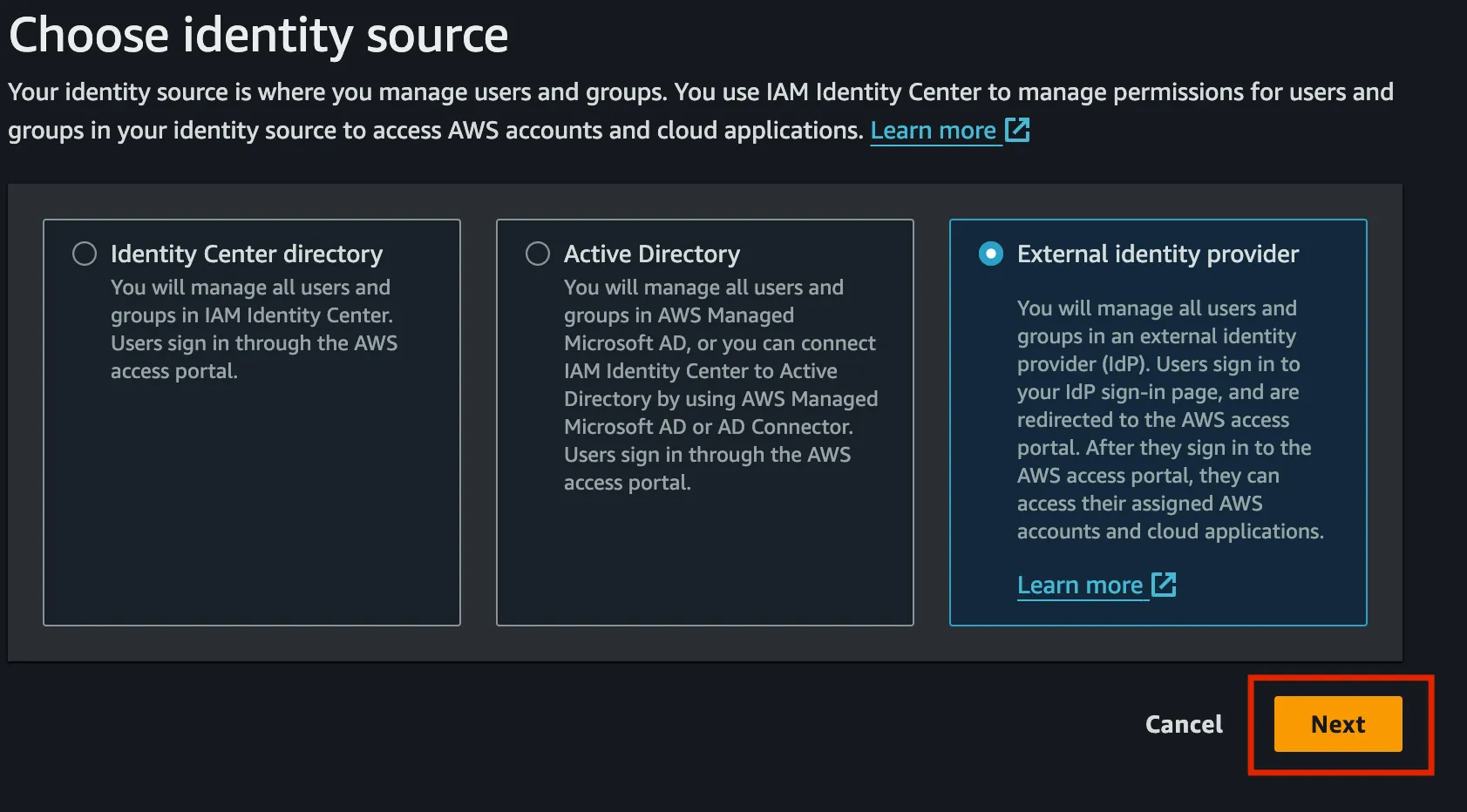
- Select External identity provider as your identity source.
- Configure a SAML application in your IdP. Refer to the IdP documentation for guidance. For example, Google provides
this guide. Follow the
steps specific to your IdP and copy the IAM Identity Center Service Provider metadata into the IdP configuration.
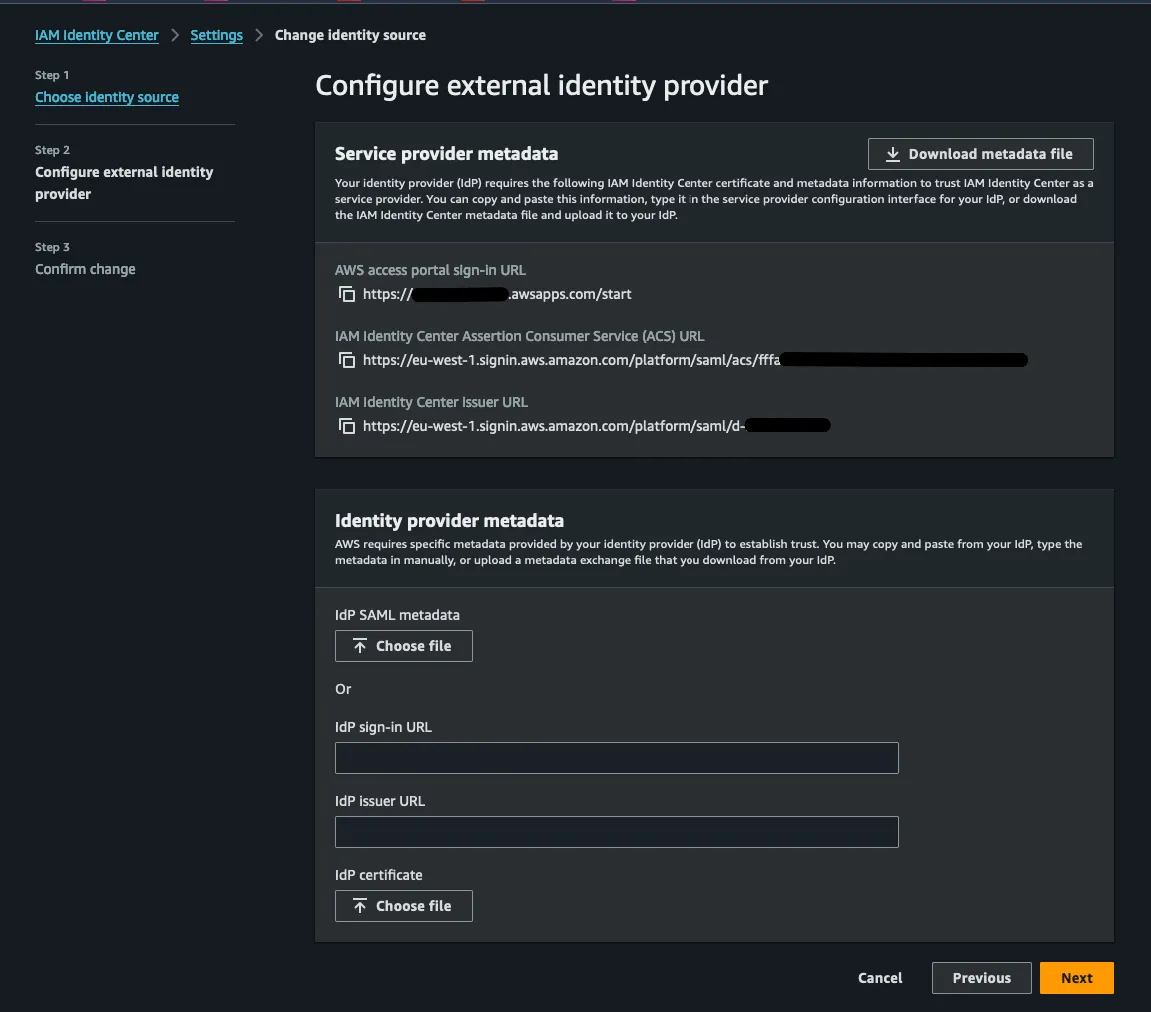
- Once the IdP steps are complete, download the IdP SAML metadata file and upload it to IAM Identity Center. Click Next.
- If switching identity sources, a warning will appear. Carefully review it and consult external resources to understand
the implications of changing the identity source.
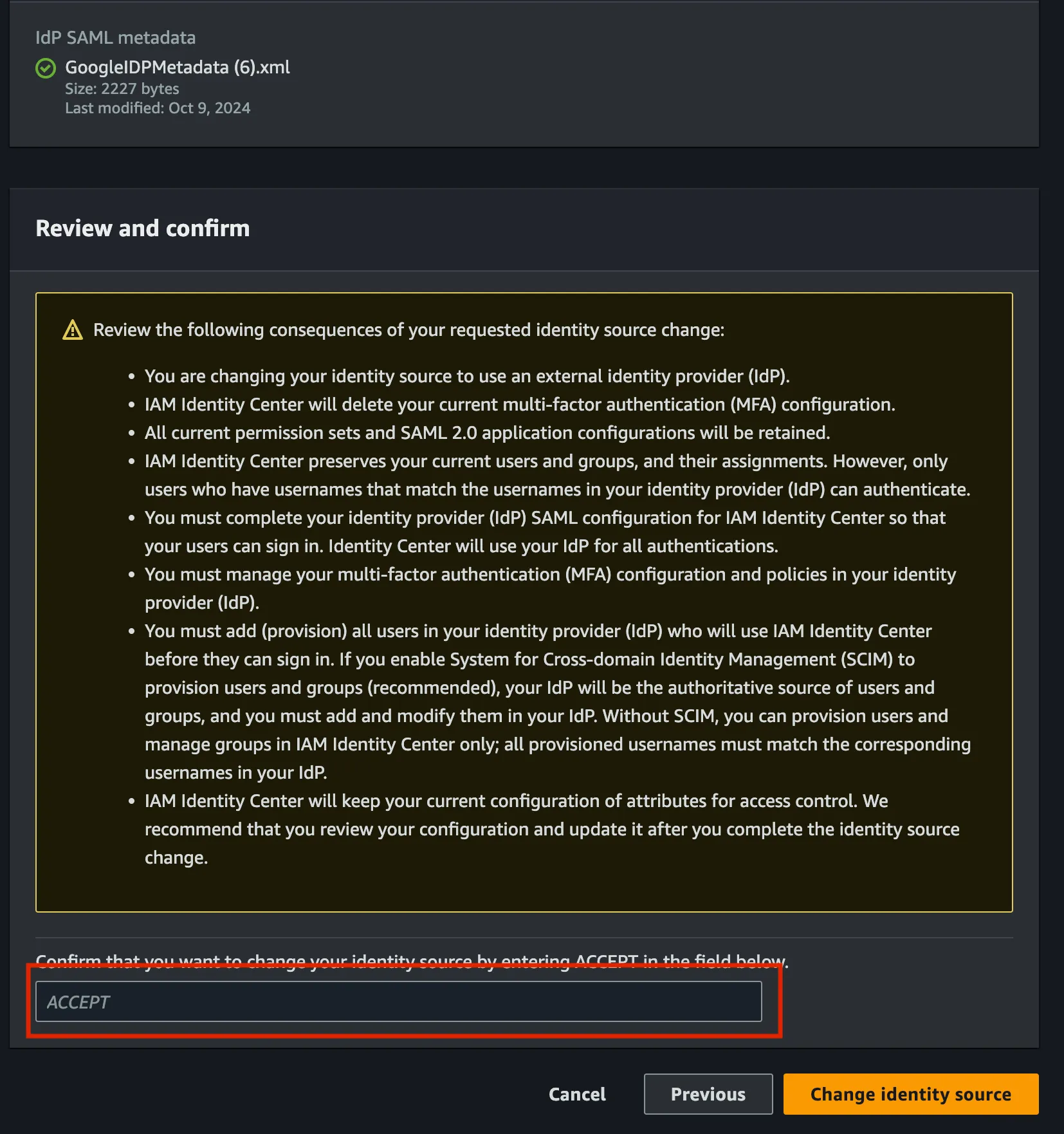
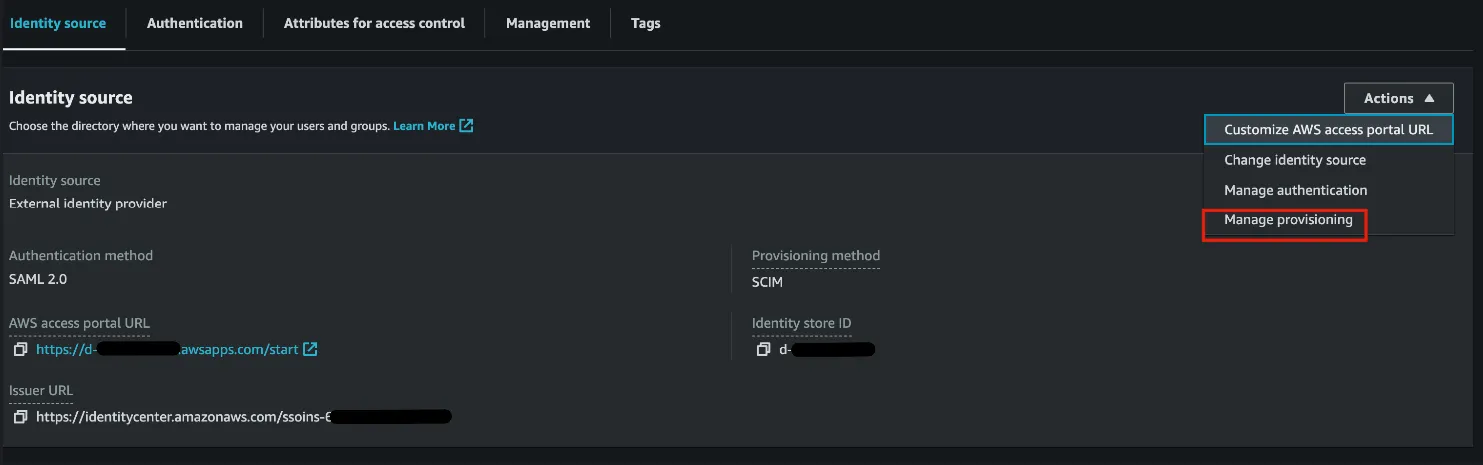
- Turn off automatic provisioning, as users will be defined through the DLZ.

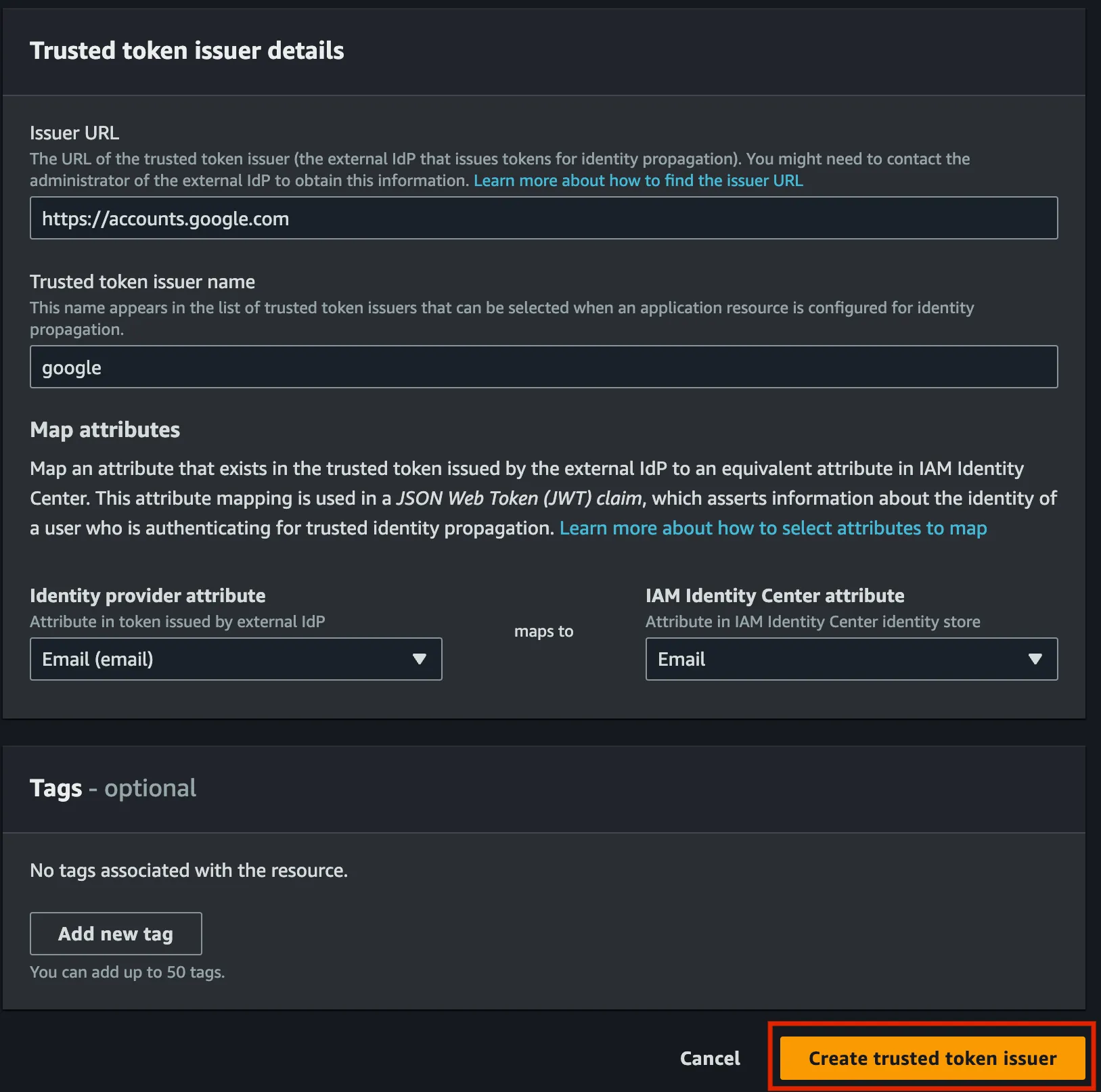
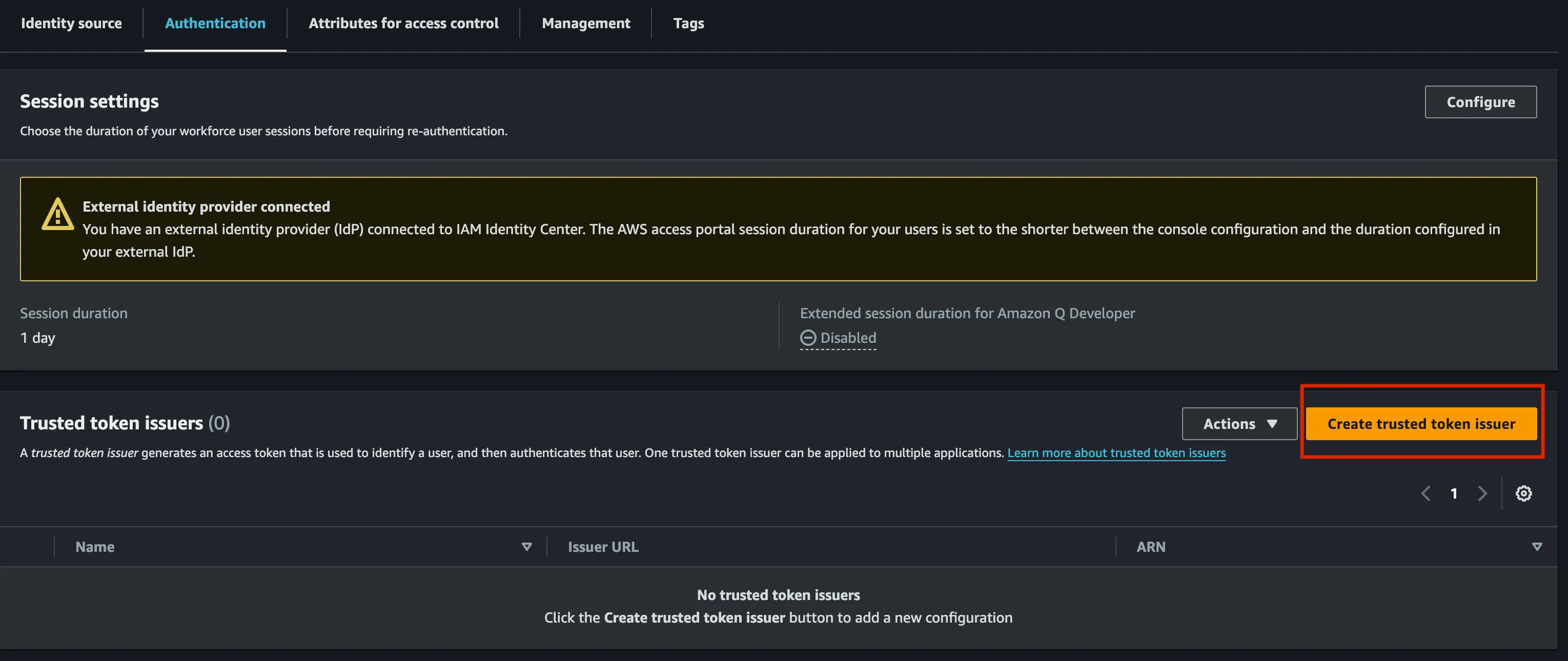
- Create a Trusted Token Issuer by navigating to the Authentication section in the settings page. Click
Create Trusted Token Issuer.
- Complete the Trusted Token Issuer fields based on your IdP:
- Provide a name, such as
google. - Enter the Trusted Token Issuer URL, e.g.,
https://accounts.google.com/. - Map the IdP Email (email) attribute to the Email attribute in IAM Identity Center. Mapping email is crucial
for using it as the username and matching users with the IdP.