IAM Identity Center Setup - Internal User Store
AWS IAM Identity Center (formerly AWS Single Sign-On) enables centralized access management for multiple AWS accounts and applications. This guide provides a detailed step-by-step process to set up IAM Identity Center using the Identity Center directory to manage users within your AWS environment.
For additional details, refer to the official AWS documentation on IAM Identity Center Identity Source.
Enable IAM Identity Center
- Log in to the Management account, which serves as the root account for the organization and the AWS Control Tower account.
- Ensure you are in the home/global region specified in your Control Tower setup.
- Navigate to the IAM Identity Center service.
- If accessing IAM Identity Center for the first time, you will be prompted to enable it.
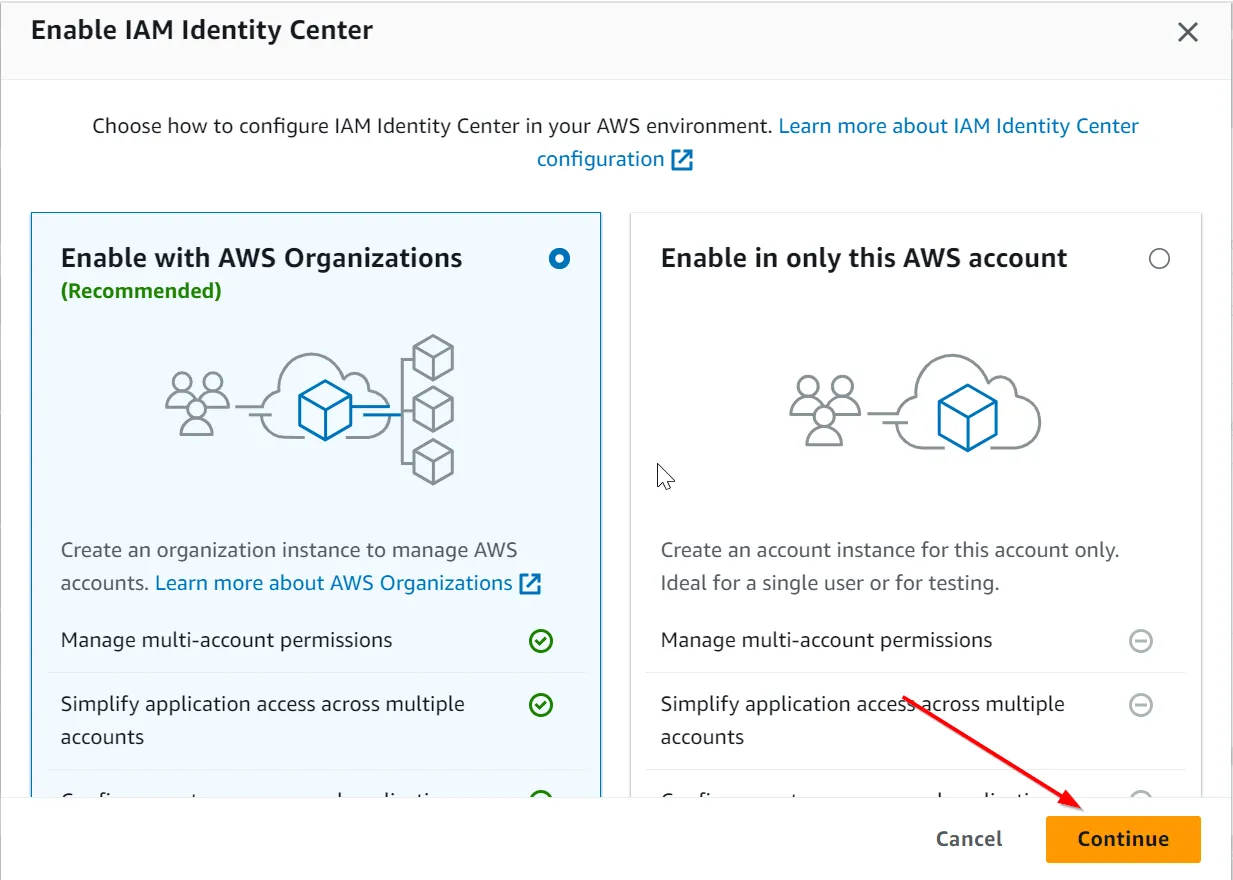
- Click Enable IAM Identity Center, choose “Enable with AWS Organizations,” and click Continue.
- Select Identity Center directory as your identity source.
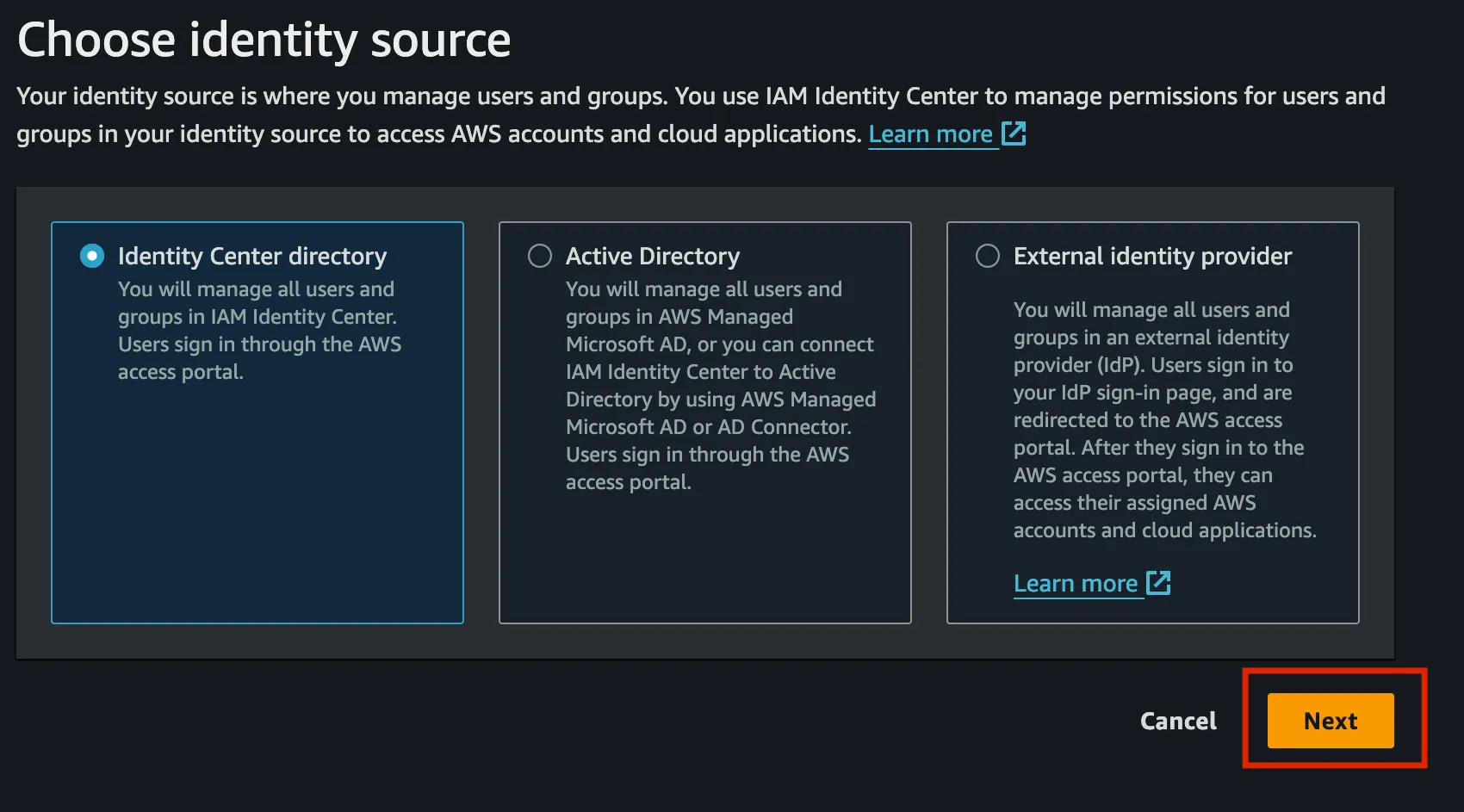
- Click Next and complete any additional steps as required.